
Zinvoice Features

The practical parts of invoicing, kept together.

Explore the main areas of Zinvoice, from invoices and repeat schedules to client records, manually recorded payments and refunds, email delivery, expenses, and simple cash-basis summaries.


Detailed Features

Browse each main area of the app.

Start with what you control manually, then see exactly what Zinvoice keeps organised or automates around it.

Quick Check

See what needs attention before it turns into a chase.

Start with overdue invoices, outstanding balances, recent payments, and the records that need attention today.

What You Control

The dashboard does not import bank activity. It updates from the invoices, payments, refunds, expenses, and repeat schedules you enter or generate in Zinvoice.

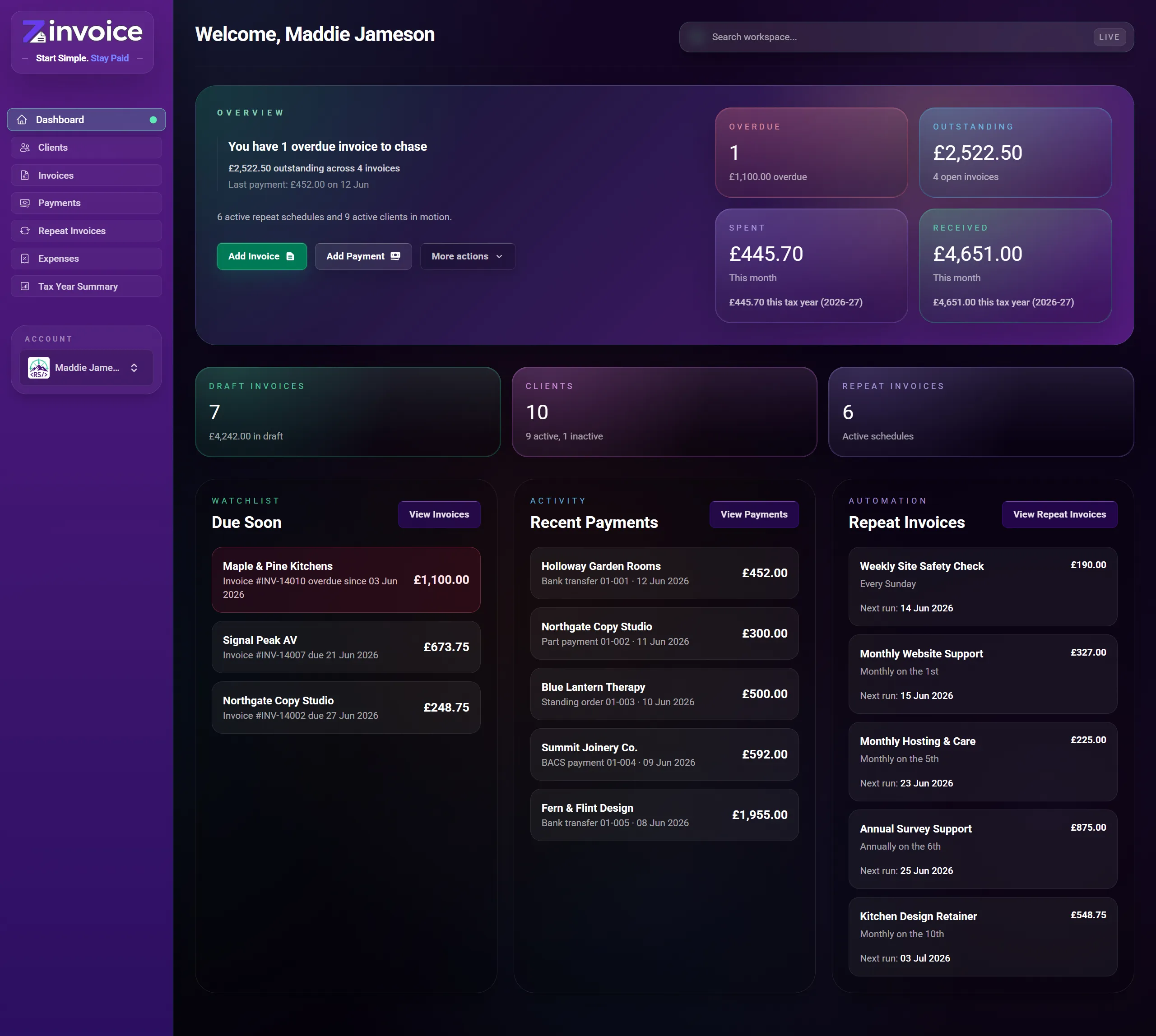
  • Placeholder dashboard overview screenshot

    Dashboard overview

    See overdue invoices, outstanding balances, and recent activity without digging through menus.

    • Quick cards point you straight to what needs attention.
    • Get a clearer view without opening another spreadsheet tab to find what changed.
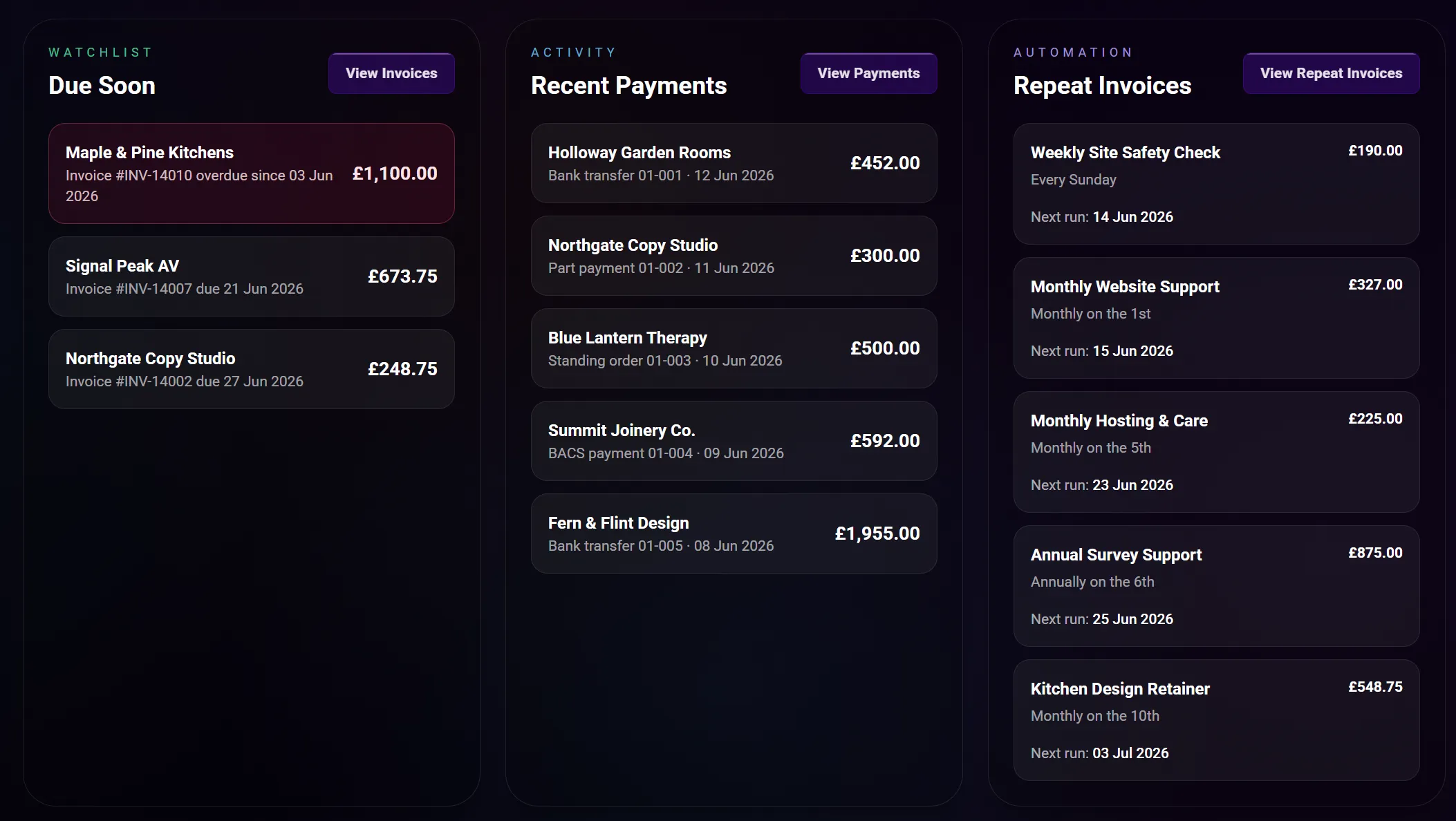
  • Placeholder dashboard watchlist screenshot

    Overdue and due soon watchlist

    Spot overdue invoices and upcoming work before they disappear into the background.

    • Overdue rows stand out clearly without turning the dashboard into a noisy alert screen.
    • Useful when you want a quick morning check of what needs action.

Still Checking The Fit?

Read the practical answers before you sign up.

The FAQ covers manual payment records, repeat invoice delivery, MTD limitations, pricing, exports, and what happens when you need full accounting software.

Read All FAQs

Complete Feature Checklist

A transparent overview of what Zinvoice can do.

Every tick below describes current functionality in the product app. Each area starts with how the workflow actually works, including where records are entered manually.

Invoices and PDFs

29 functions

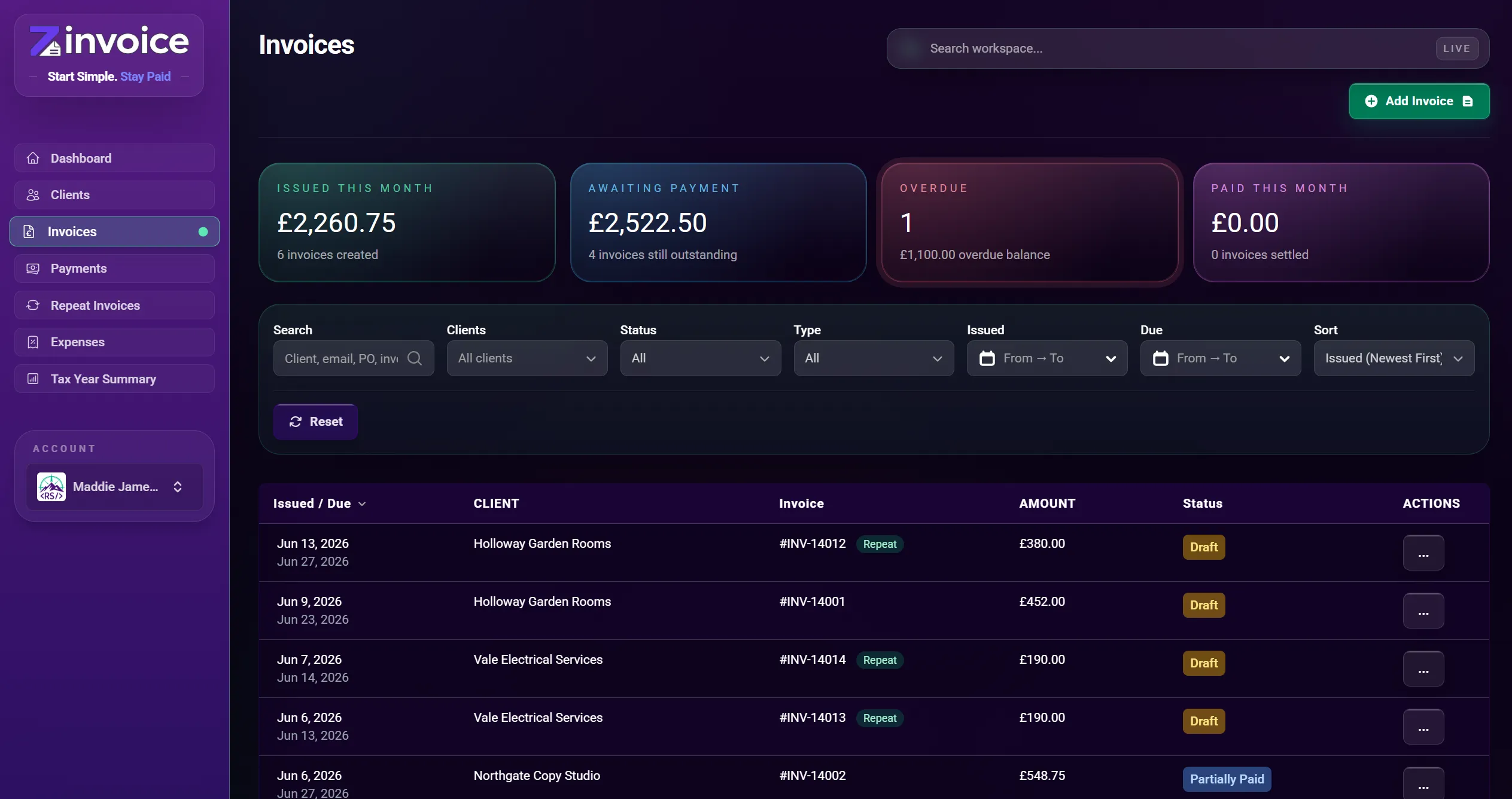
Create the invoice, check it, send it, and keep the document and activity attached to one record.

How It Works

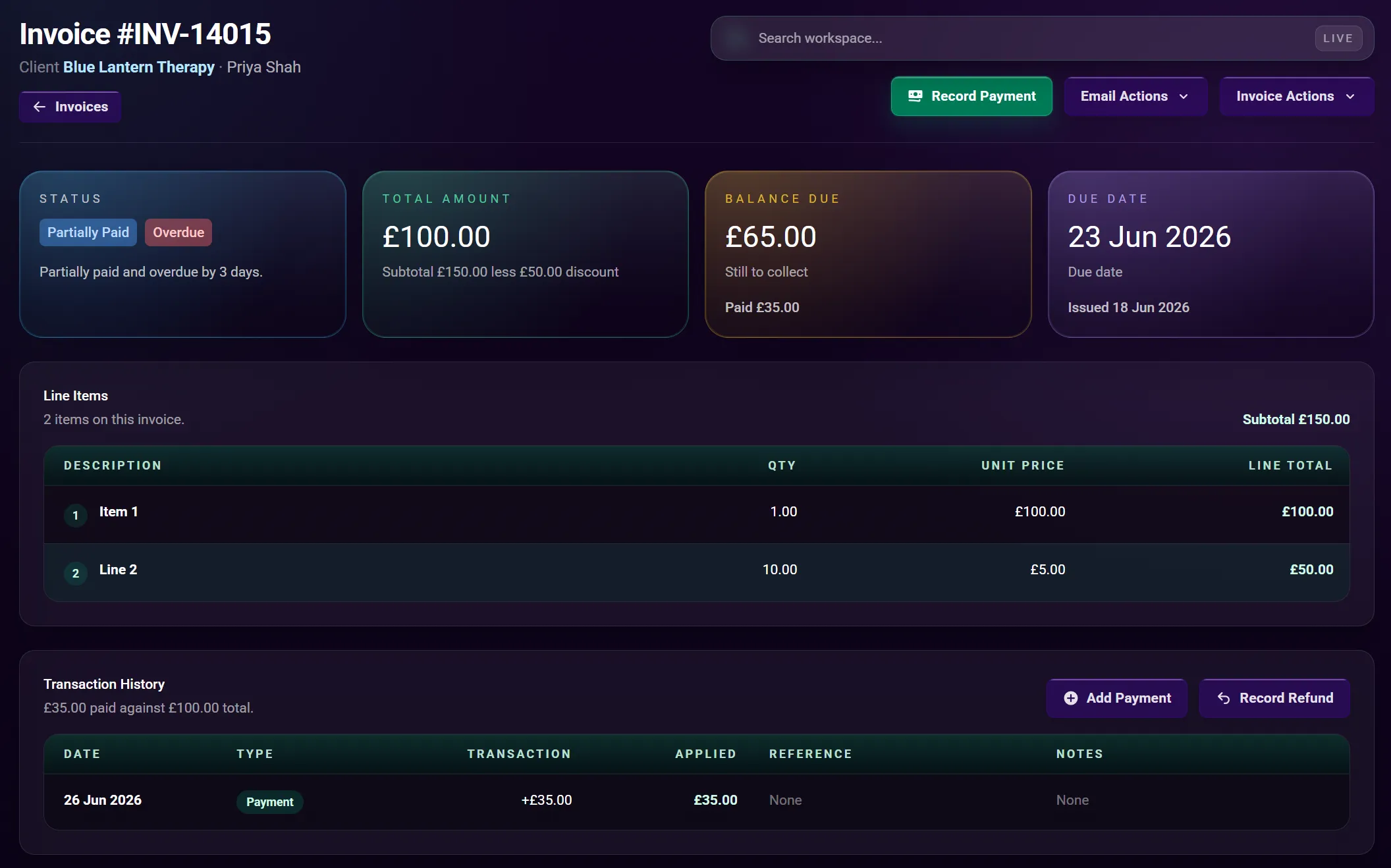
You create and approve normal invoices. Zinvoice handles numbering, calculations, PDF generation, status, and the stored record around them.

  • Create invoices from scratch.
  • Select an existing client or add a client during invoice creation.
  • Use a saved billing address or create another address.
  • Create an invoice without a billing address when appropriate.
  • Increase invoice numbers automatically from your chosen starting point.
  • Use your own invoice number when a genuine exception is needed.
  • Set invoice and due dates.
  • Use business defaults or client-specific payment terms.
  • Add multiple line items with descriptions, quantities, and unit prices.
  • Calculate line totals, subtotal, discount, and invoice total.
  • Apply a fixed-value or percentage discount.
  • Add a purchase order number.
  • Add invoice notes and payment terms.
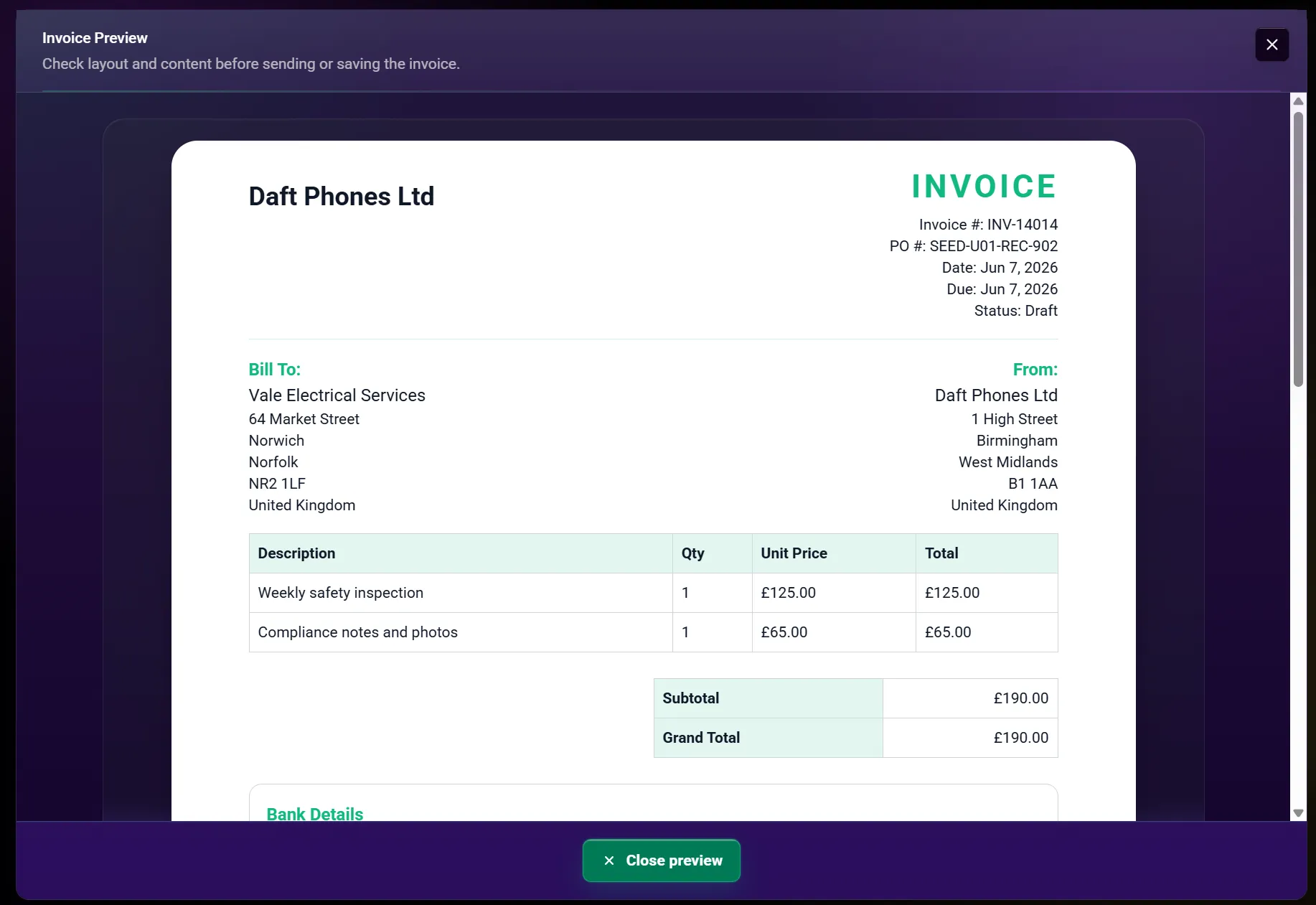
  • Preview the client-facing invoice before saving or sending.
  • Save an invoice as a draft.
  • Edit an invoice while it remains editable.
  • Duplicate an existing invoice into a new draft.
  • Save and send an invoice by email.
  • Save and download the invoice PDF.
  • Download the stored sent version of an invoice later.
  • Resend an issued invoice.
  • Mark an invoice as sent when it was delivered outside Zinvoice.
  • Record a payment or refund from the invoice record.
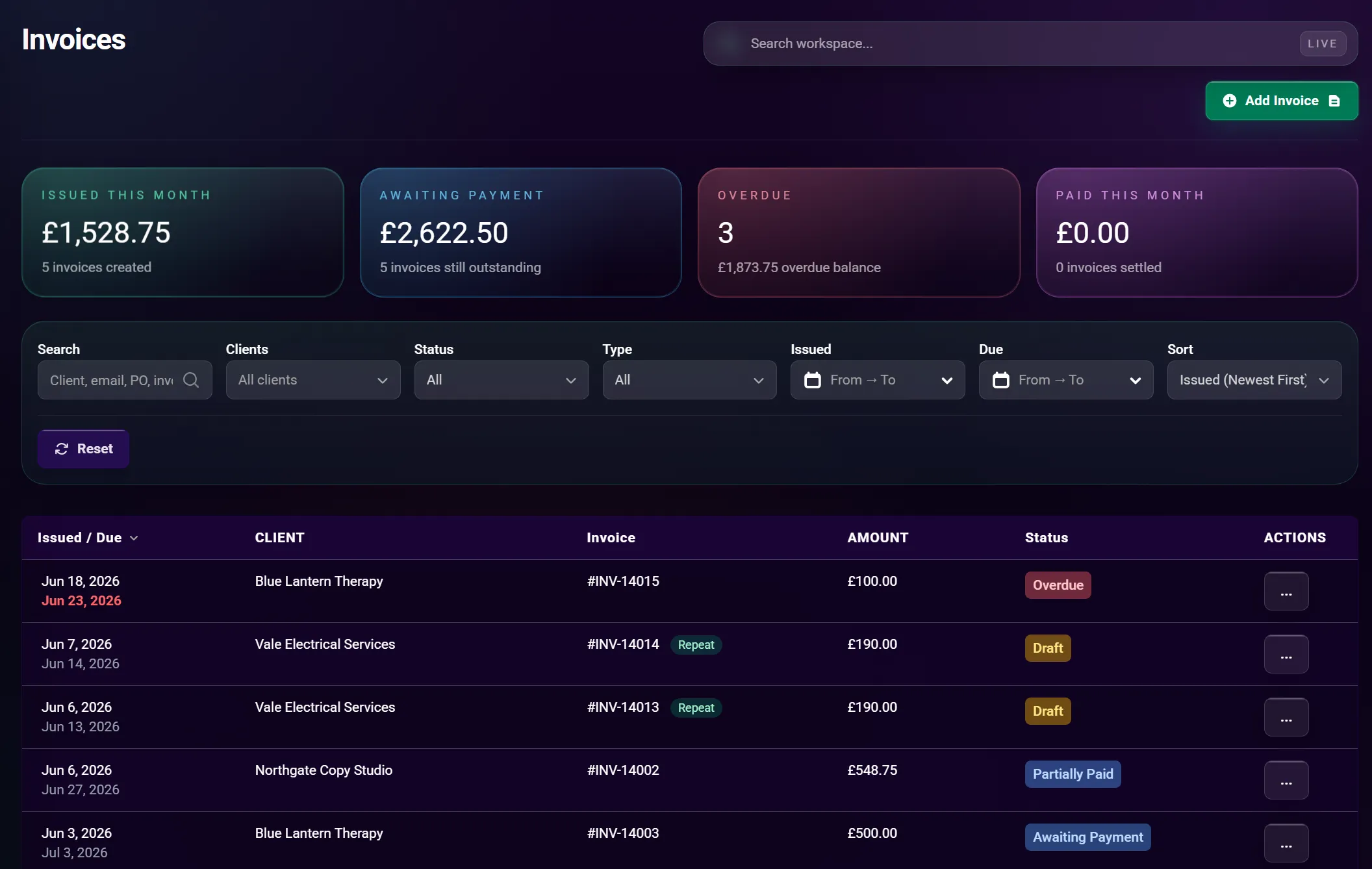
  • See draft, awaiting payment, part-paid, overdue, paid, and void states.
  • Void an eligible invoice, with an optional client email.
  • Send a payment reminder with recent-reminder protection.
  • See payment allocations and remaining balance on the invoice.
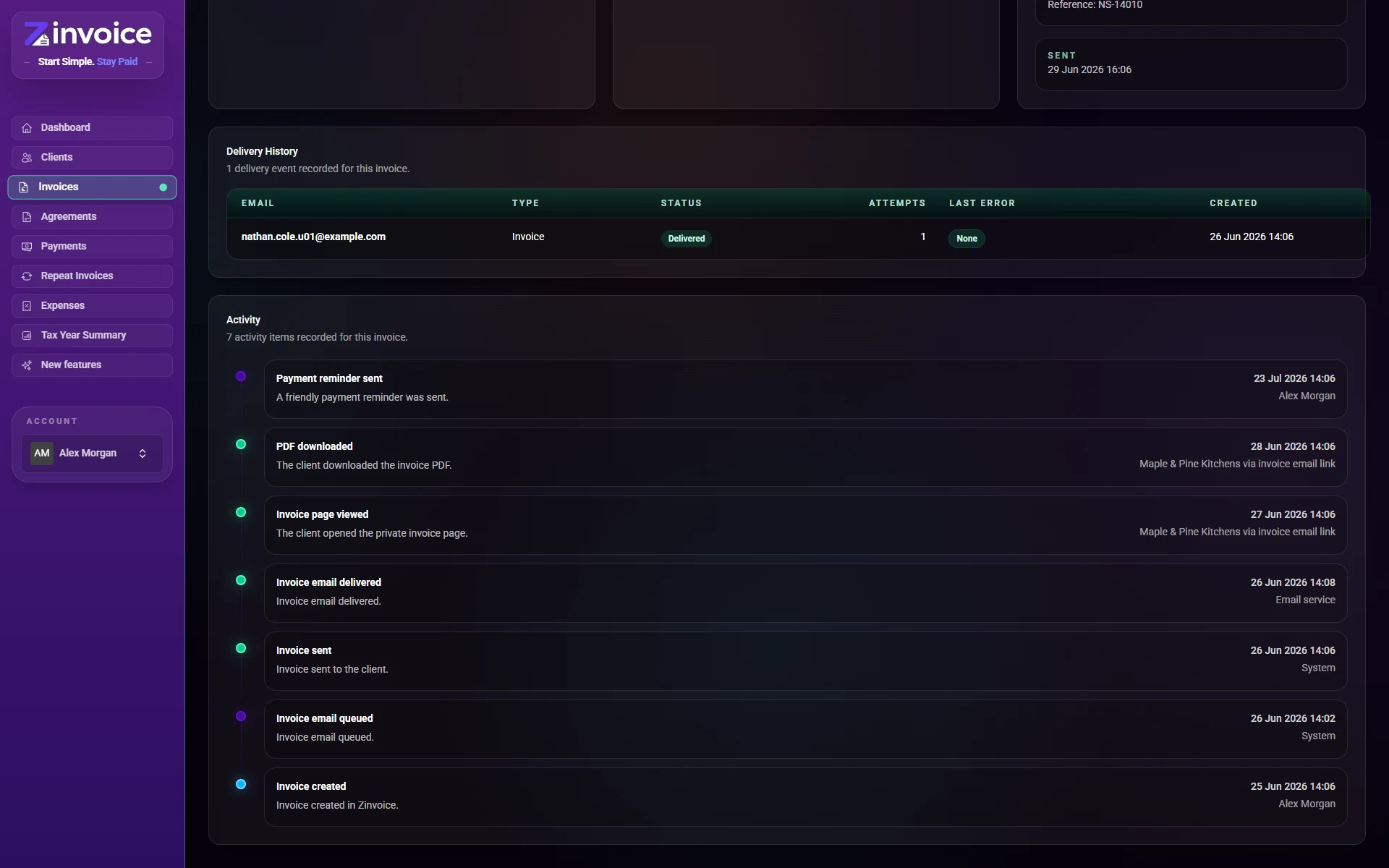
  • Review a dated invoice activity timeline.
  • Search, filter, and sort the invoice list.

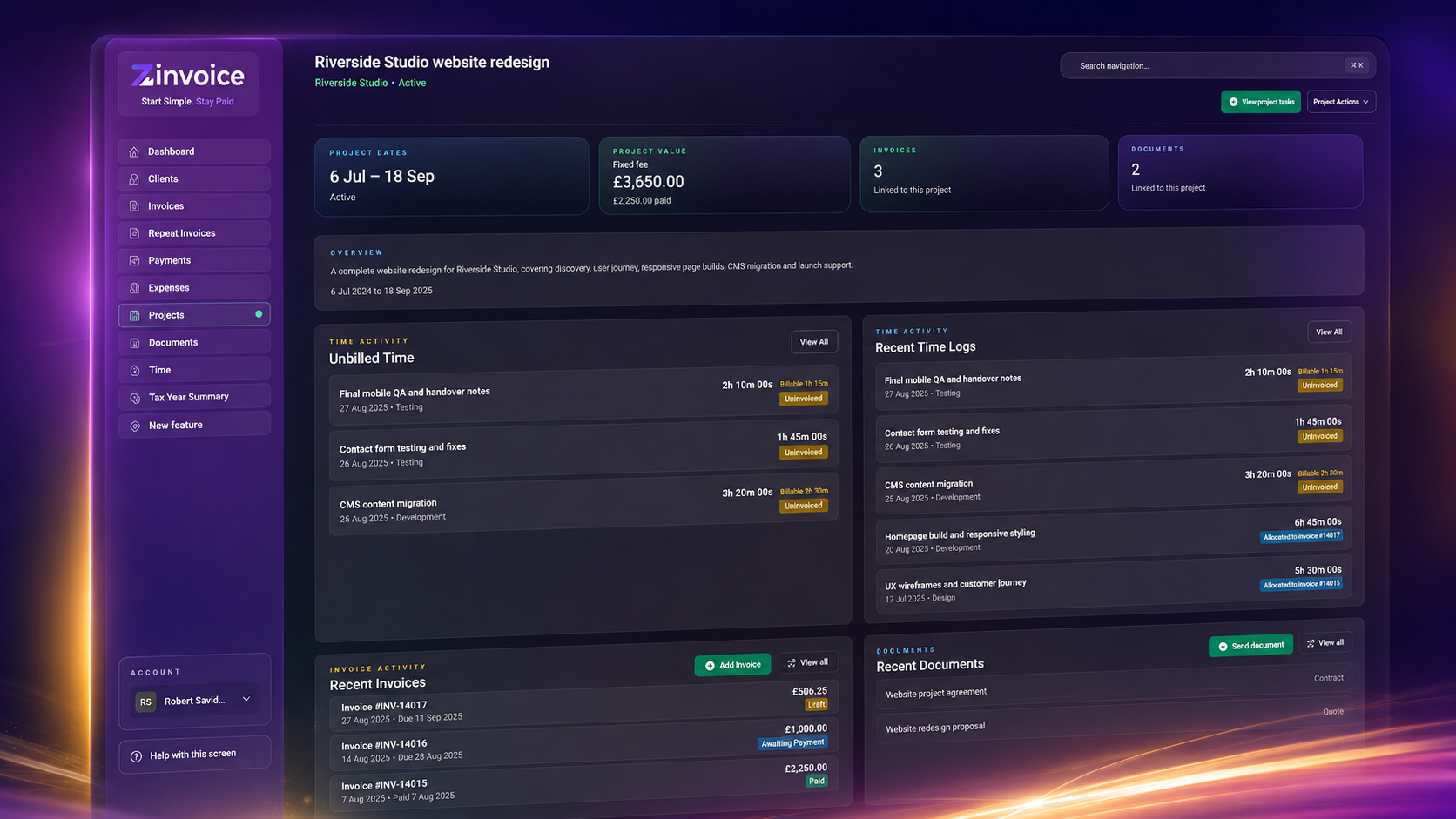
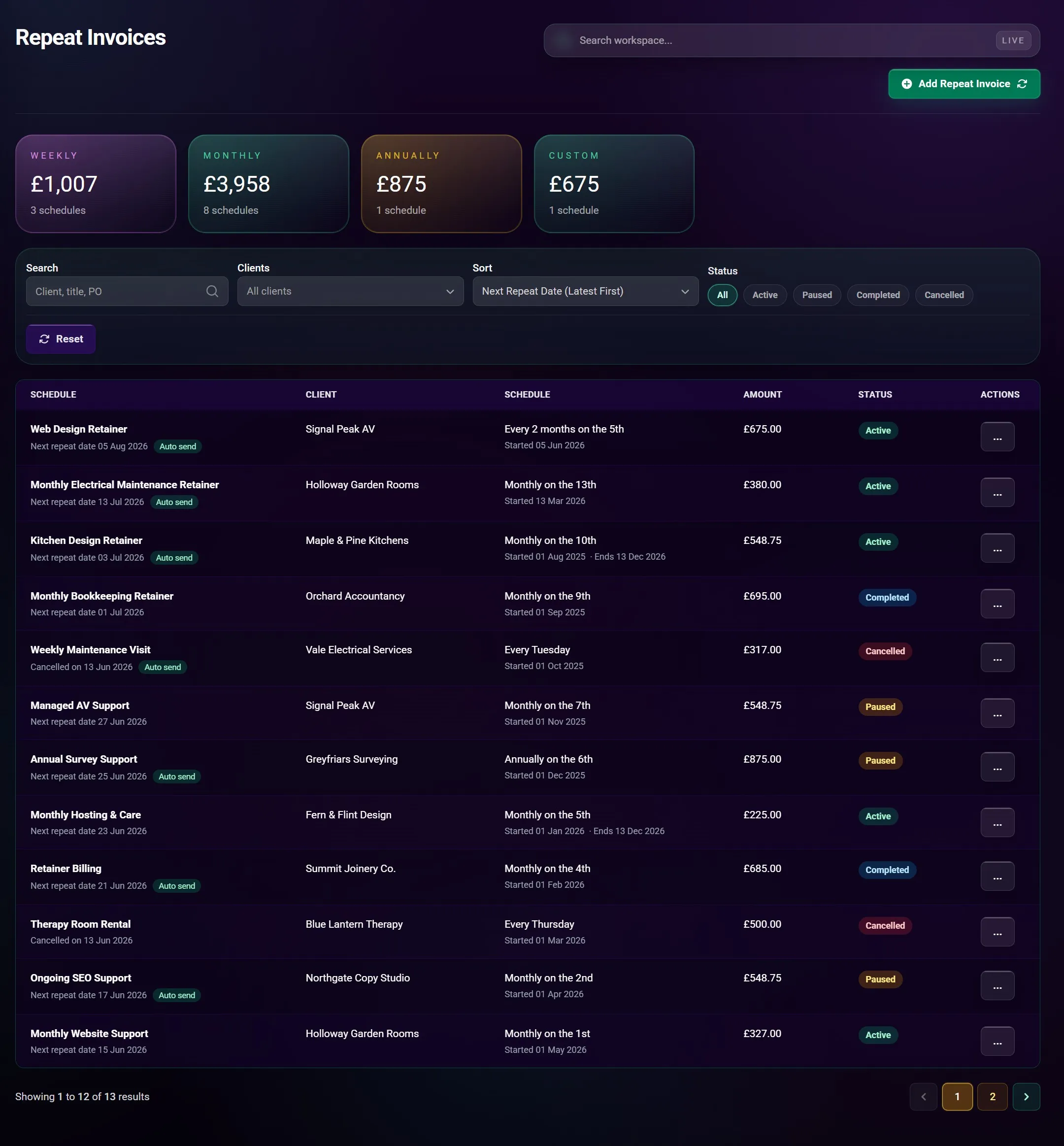
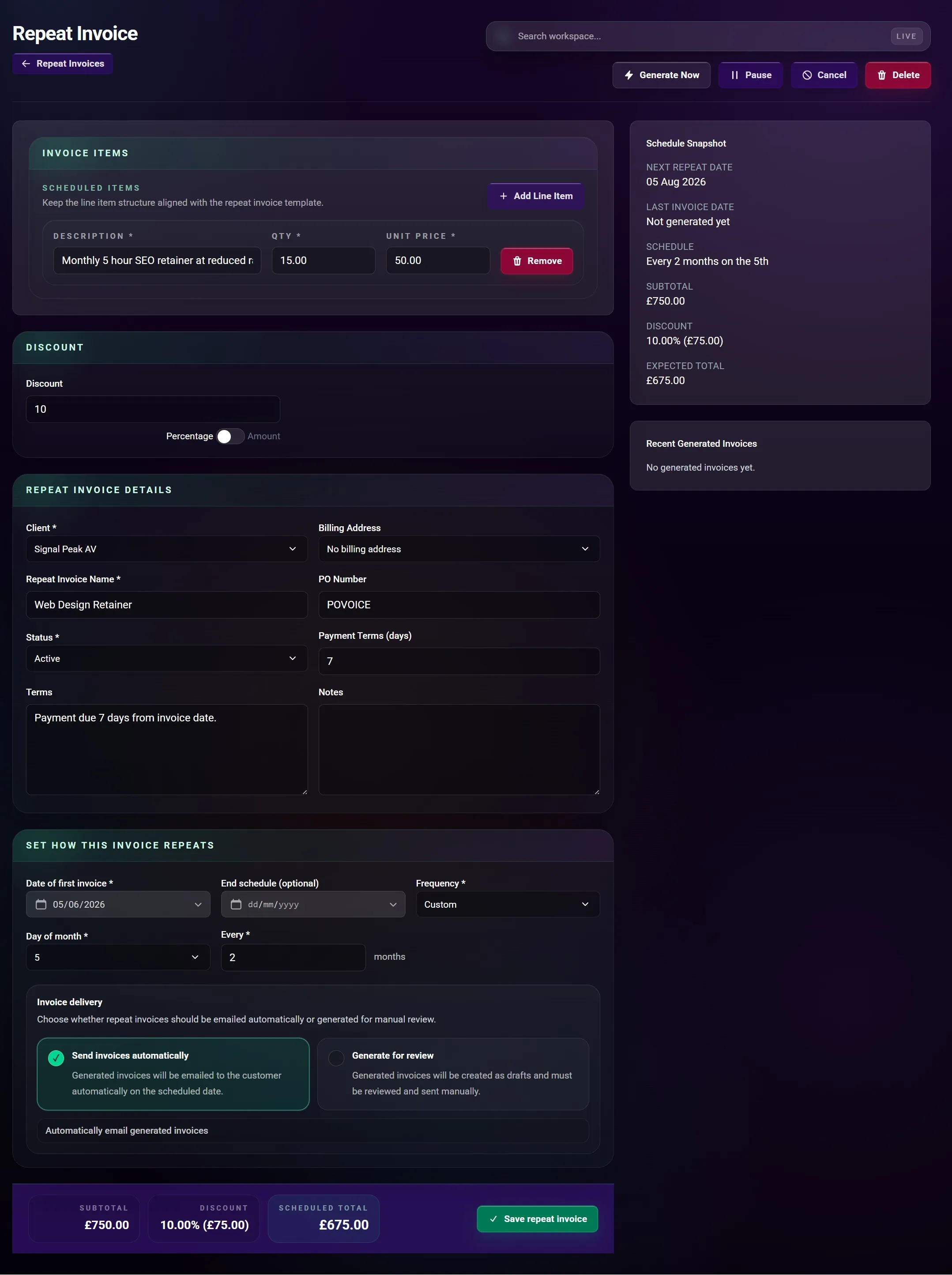
Repeat invoices

27 functions

Set up regular billing once, then choose whether each generated invoice sends automatically or waits for review.

How It Works

You define the schedule, client, line items, dates, and delivery choice. Zinvoice generates future invoices from that template.

  • Create a repeat invoice schedule for an existing client.
  • Add a new client and billing address inside the schedule flow.
  • Choose a saved billing address or no billing address.
  • Add a schedule name and purchase order number.
  • Build reusable line items with quantities and unit prices.
  • Apply a fixed-value or percentage discount.
  • Use client payment terms or override them for the schedule.
  • Add invoice terms and notes to generated invoices.
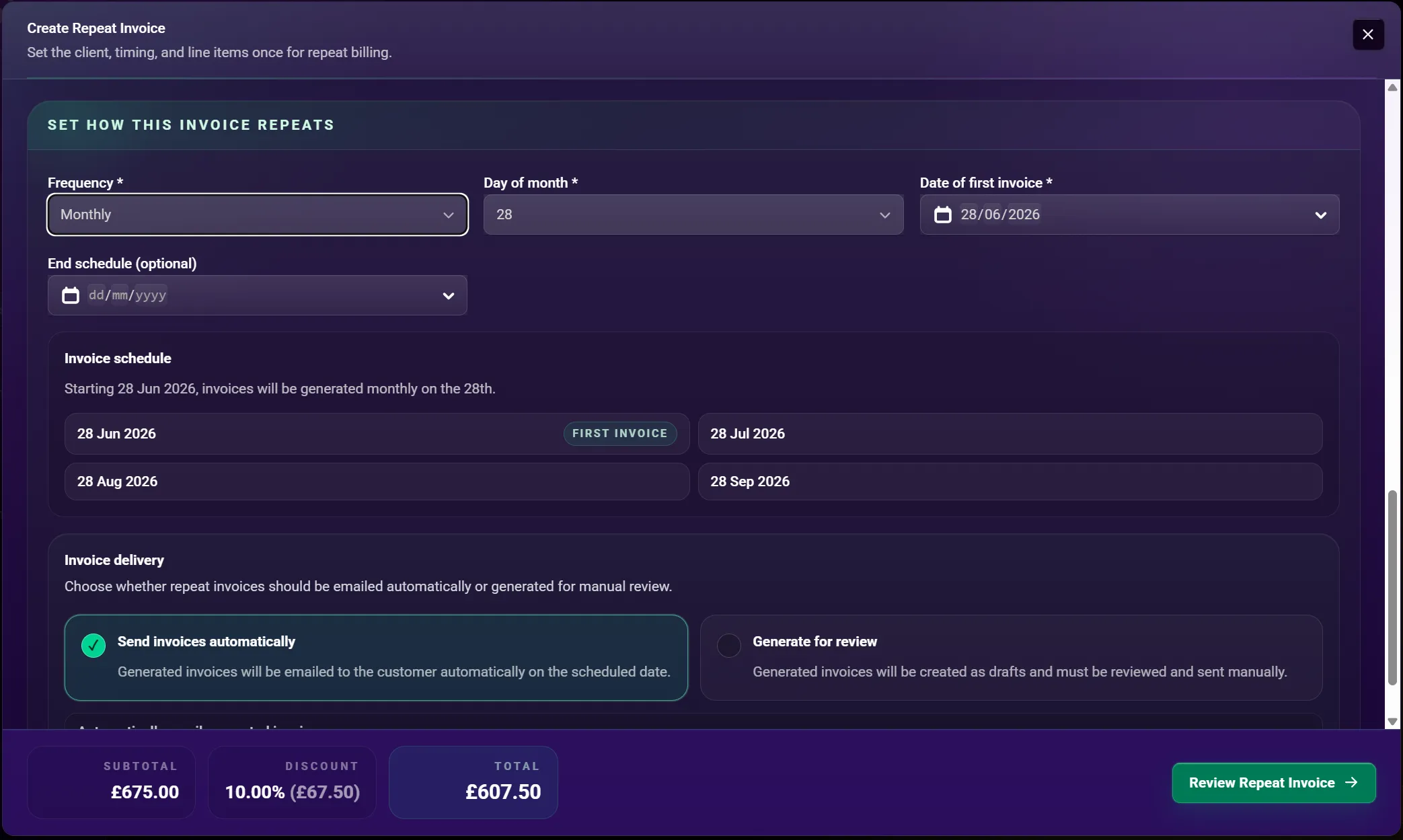
  • Set the first invoice date.
  • Set an optional end date.
  • Schedule daily invoices.
  • Schedule weekly invoices on a chosen weekday.
  • Schedule monthly invoices on a chosen day.
  • Schedule quarterly, six-monthly, or annual invoices.
  • Use a custom interval of up to 36 months.
  • Preview the schedule and upcoming invoice dates.
  • Review the schedule before creating it.
  • Create the first invoice immediately when the first date is today.
  • Email generated invoices automatically when you enable auto-send.
  • Generate invoices as drafts for manual review and sending.
  • Edit an active or paused schedule.
  • Pause and resume a schedule.
  • Generate an invoice manually from a schedule.
  • See the last and next generation dates.
  • Review invoices previously generated by the schedule.
  • Cancel a schedule while keeping it as a read-only record.
  • Keep already generated invoices when a schedule is cancelled or deleted.

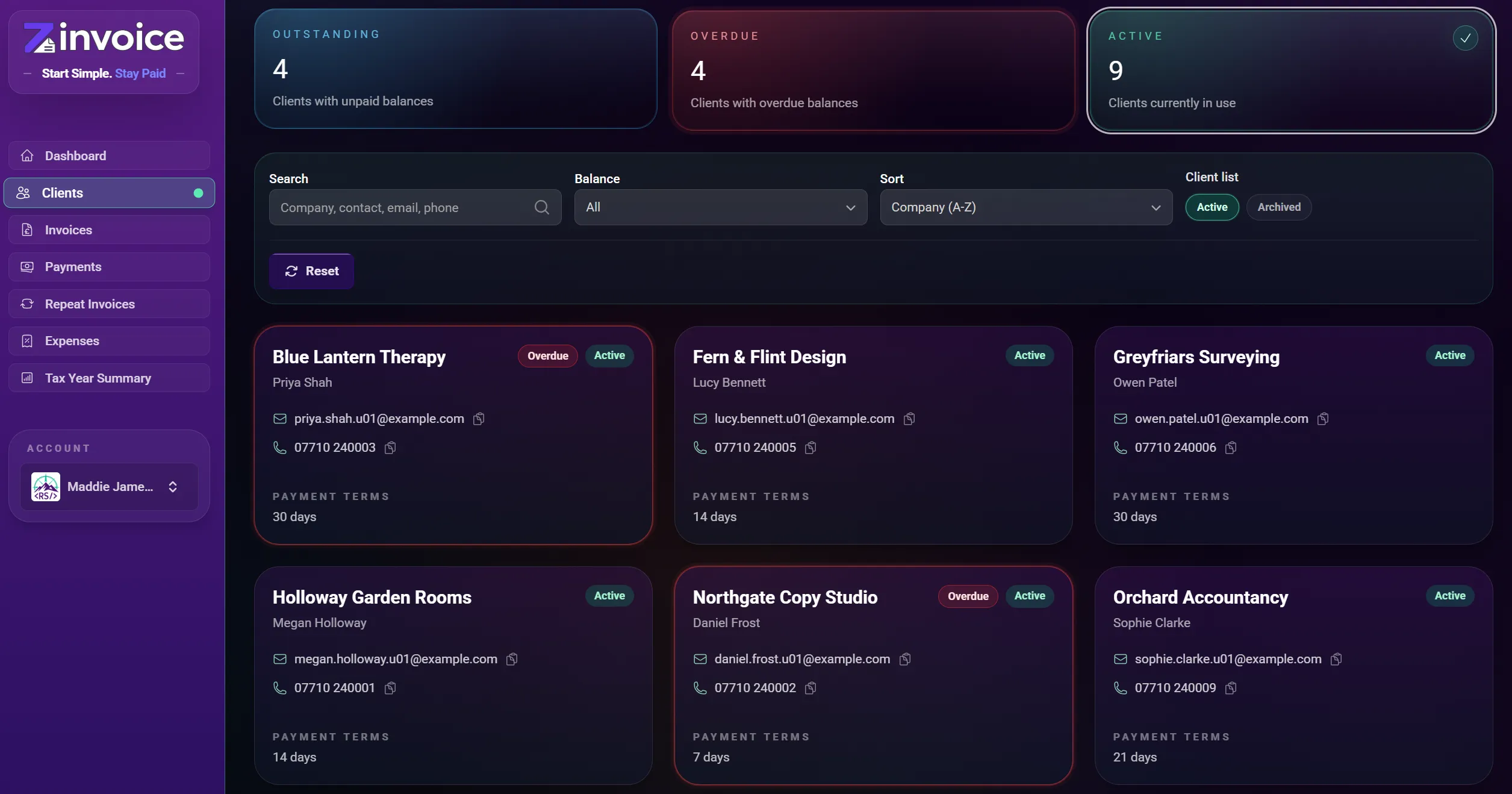
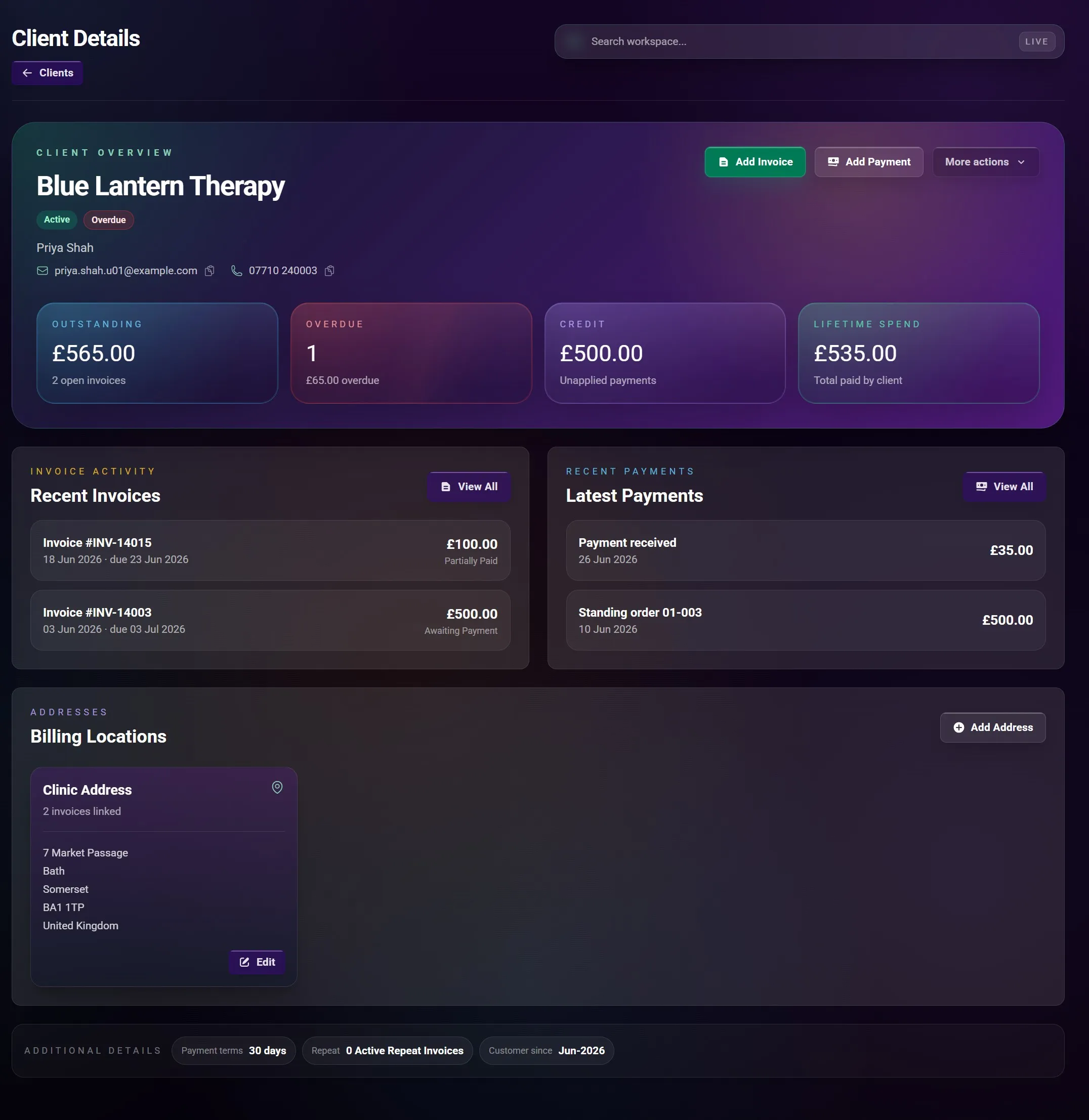
Clients and addresses

25 functions

Keep contact details, addresses, balances, invoices, payments, and repeat work connected to the right client.

How It Works

You create and maintain the client record. Zinvoice reuses it across the related invoice and payment workflows.

  • Save company and contact names.
  • Save client email addresses and phone numbers.
  • Set client-specific payment terms.
  • Create a client with or without a billing address.
  • Save multiple addresses against one client.
  • Edit and remove unused addresses.
  • Search clients by company, contact, email, or phone.
  • Sort clients by company or contact name.
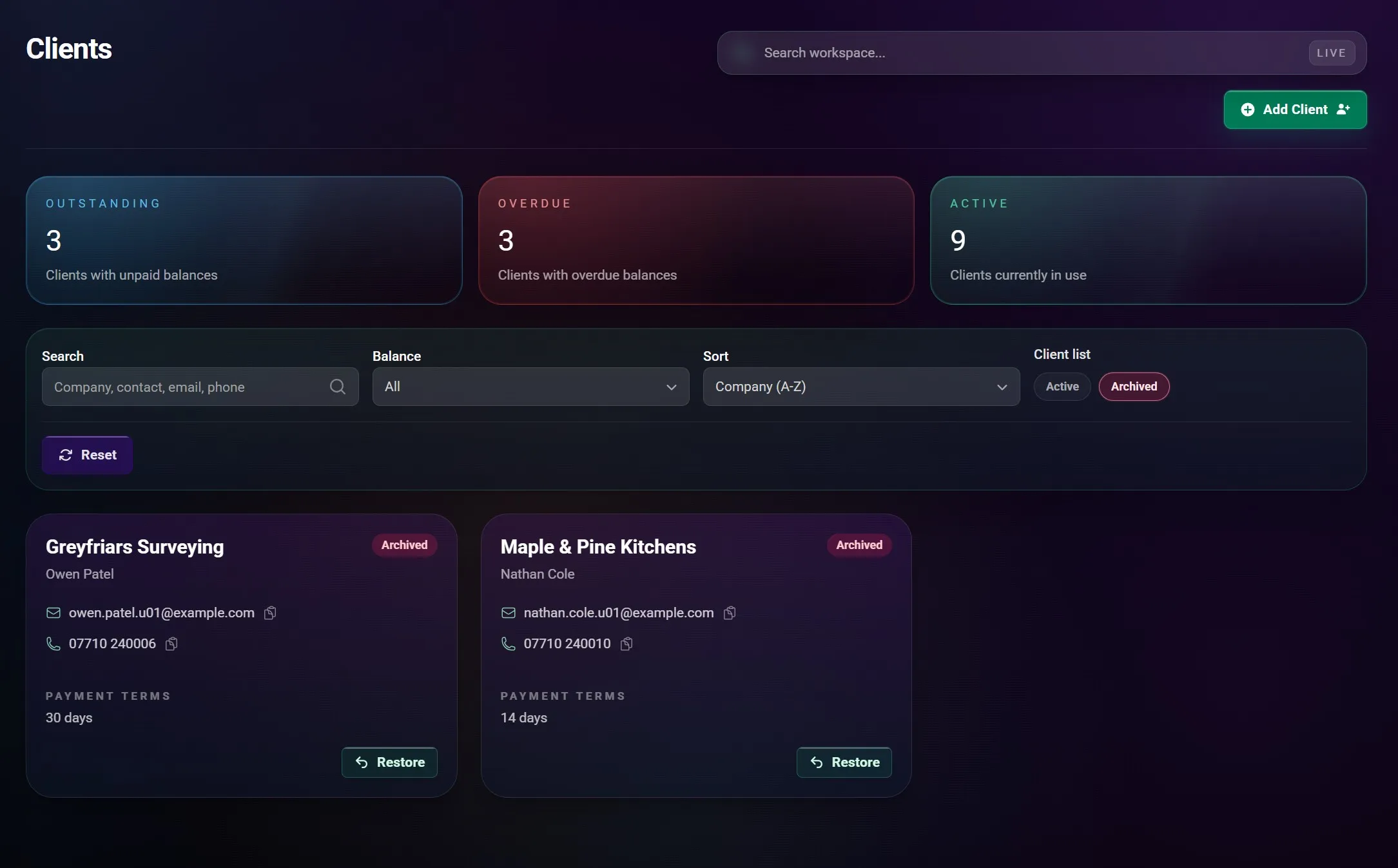
  • Switch between active and archived clients.
  • Filter clients with outstanding invoice balances.
  • Filter clients with overdue invoice balances.
  • Spot overdue clients directly in the client list.
  • See outstanding balance and overdue totals on the client profile.
  • See unapplied client credit.
  • See lifetime recorded spend and average time to pay.
  • Review recent invoices for the client.
  • Review recent payments for the client.
  • Create an invoice from the client profile.
  • Create a repeat invoice from the client profile.
  • Record a payment from the client profile.
  • Archive a settled client without deleting their history.
  • Prevent archiving while unpaid invoices or client credit remain.
  • Restore an archived client when work resumes.
  • Prevent new invoices, payments, and repeat schedules while a client is archived.
  • Delete a client only when no invoices are linked to them.

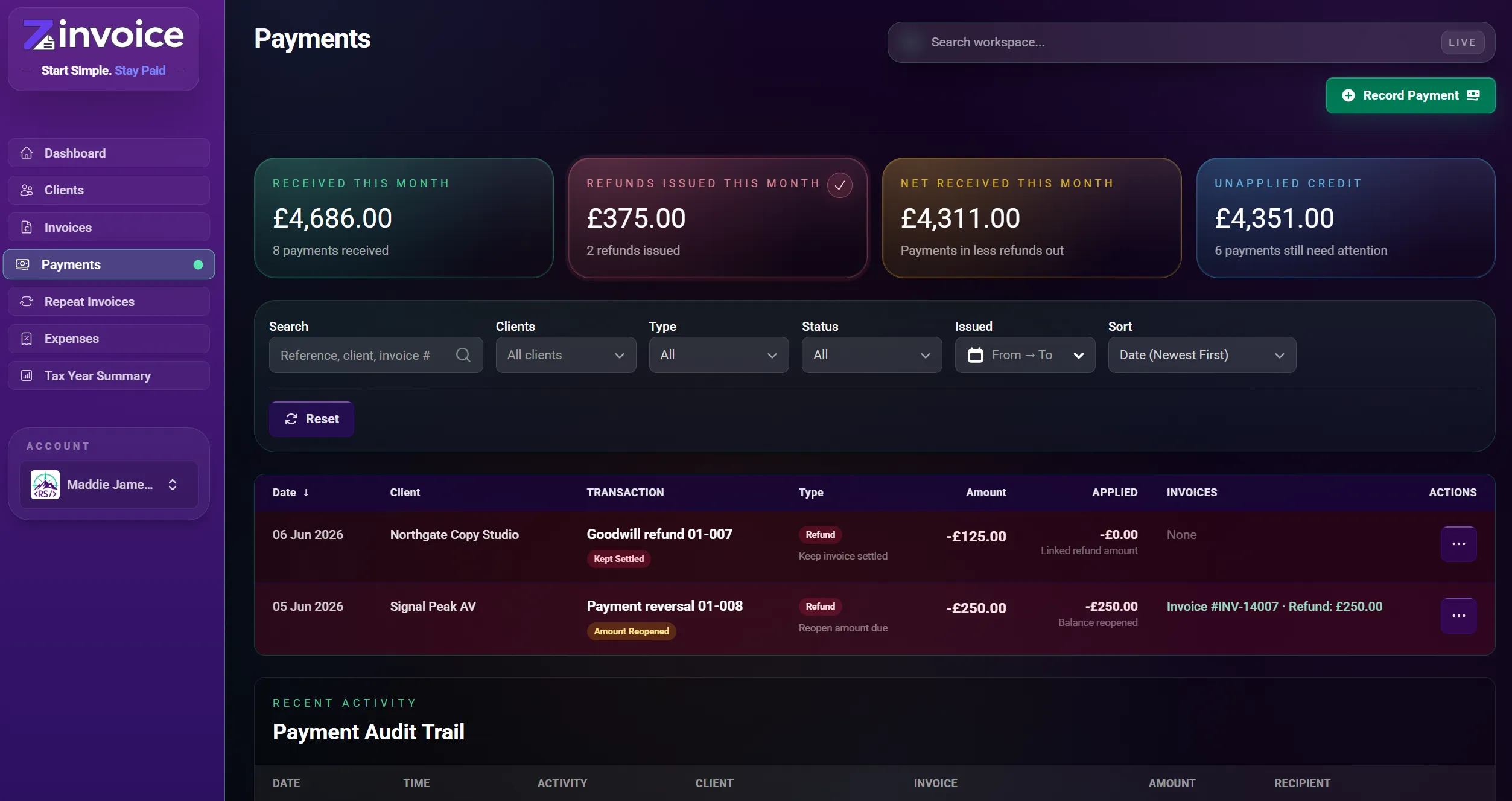
Payments, refunds, and audit trail

28 functions

Manually record what happened to the money, allocate it correctly, and retain a dated trail of changes and receipt activity.

How It Works

Zinvoice does not take payments or import bank transactions. You enter payments, refunds, credits, dates, and references after money moves elsewhere.

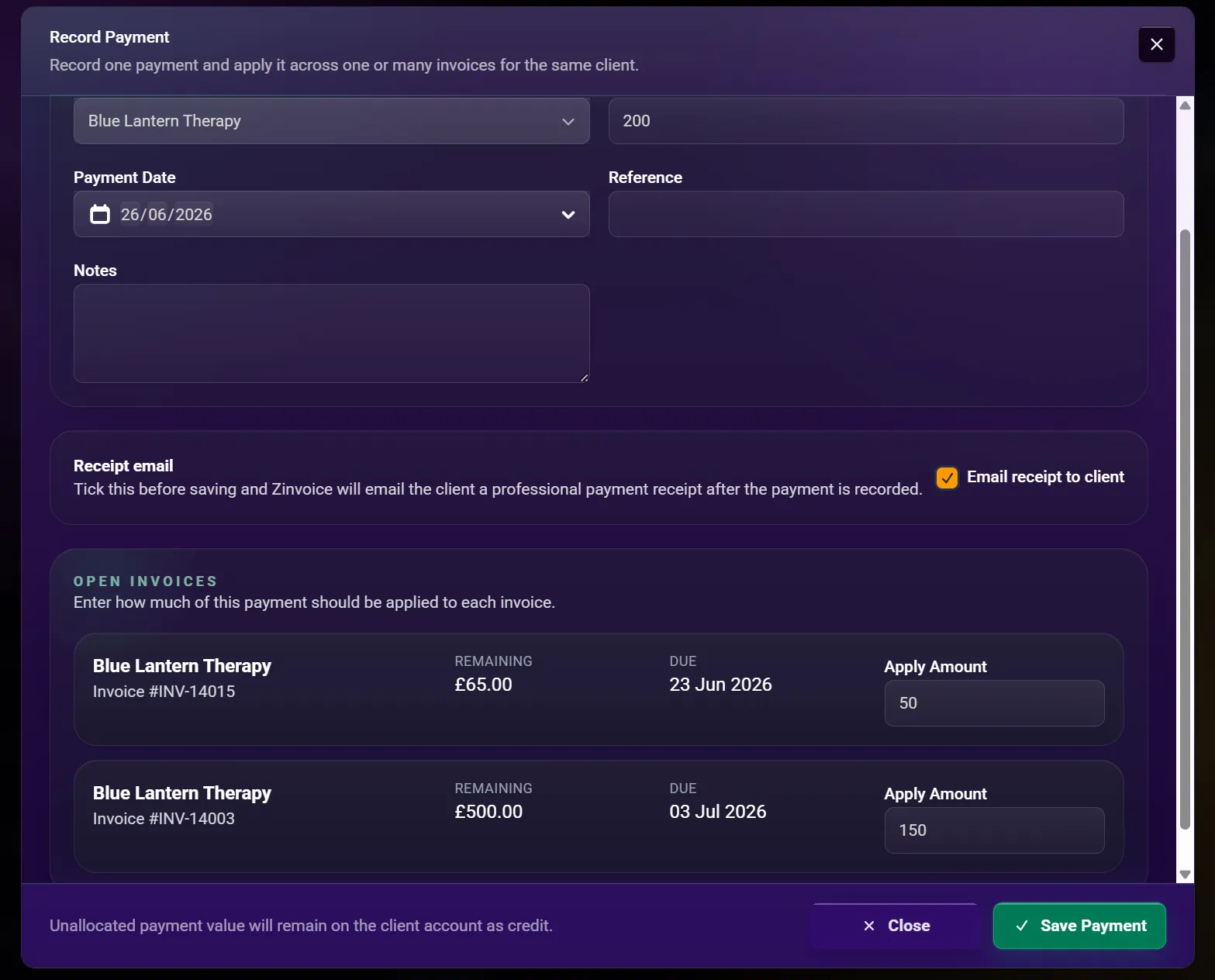
  • Manually record money received from a client.
  • Record the payment date, reference, and notes.
  • Allocate a full payment to one invoice.
  • Record a part payment against an invoice.
  • Split one payment across several invoices.
  • Leave money as unapplied client credit.
  • See how much of a payment is applied and still unused.
  • Edit an existing payment and its allocations.
  • Delete an incorrect payment record.
  • Manually record a refund against paid invoice value.
  • Refund unused client credit.
  • Add a required reason and optional notes to a refund.
  • Choose a refund that reopens the invoice balance.
  • Choose an informational refund that leaves the invoice settled.
  • Edit or delete a refund record when it needs correcting.
  • Send a payment receipt while recording a payment.
  • Send or resend a receipt from the payment list.
  • Send a refund confirmation when recording a refund.
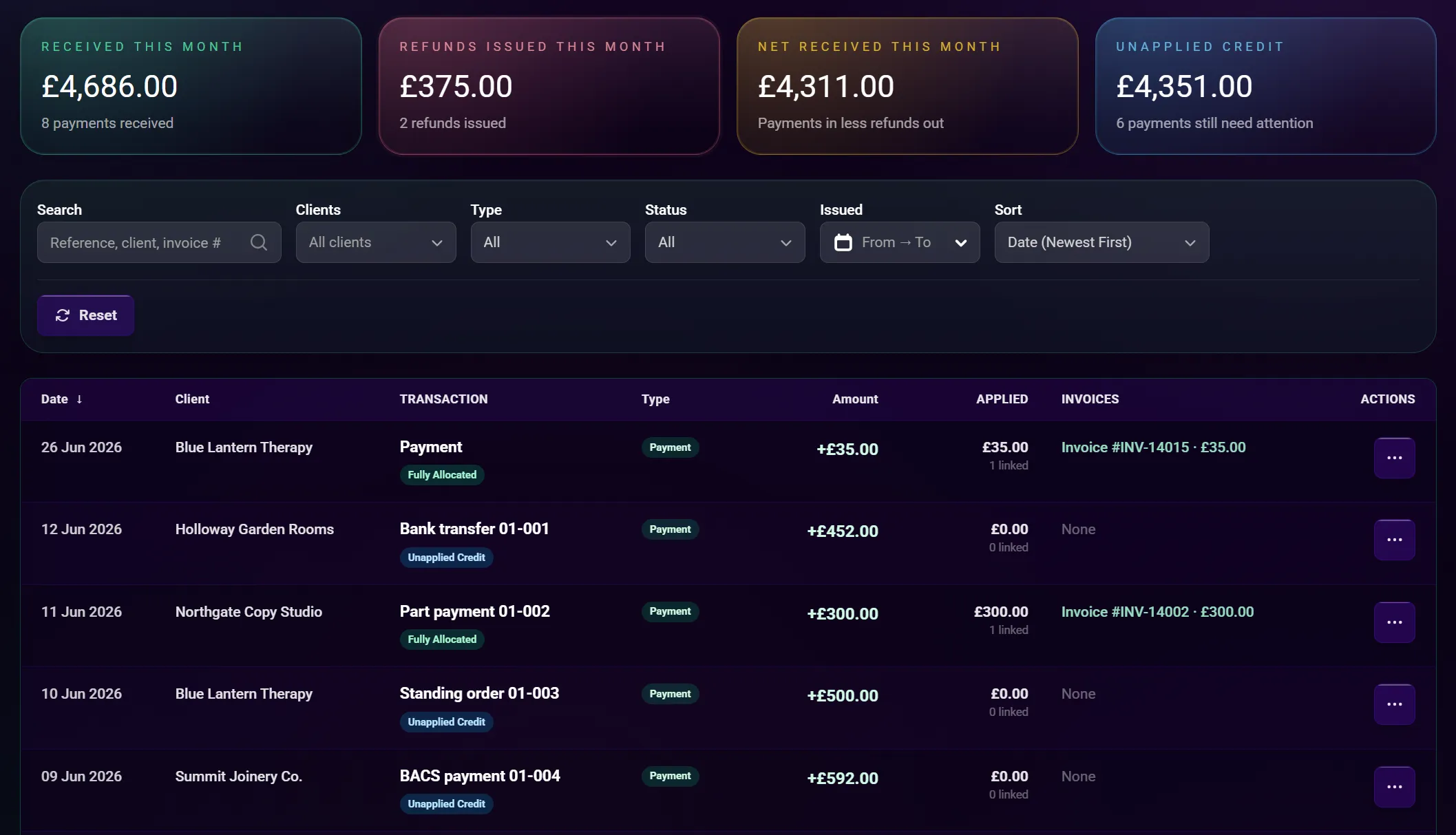
  • See payments received this month.
  • See refunds recorded this month.
  • See net received after recorded refunds.
  • See the current unapplied client-credit total.
  • Search by reference, notes, client, or invoice number.
  • Filter by payment or refund, client, date, and allocation state.
  • Sort payments by date, amount, reference, client, or type.
  • Audit payment and refund creation, updates, and deletion.
  • Audit receipt and refund-email delivery activity.
  • Keep date, time, client, invoice, amount, and recipient context in audit rows where available.

Emails, reminders, and delivery

22 functions

Use consistent client communication and see the delivery states reported by the email provider.

How It Works

You choose when to send ordinary invoices, reminders, receipts, refunds, and void notices. Repeat invoices only auto-send when you enable that choice.

  • Email invoices with their PDF attached.
  • Resend an issued invoice.
  • Send payment reminders from eligible invoices.
  • Warn when a reminder was sent recently.
  • Override the reminder warning when another reminder is genuinely needed.
  • Send payment receipt emails.
  • Send refund confirmation emails.
  • Optionally email the client when an invoice is voided.
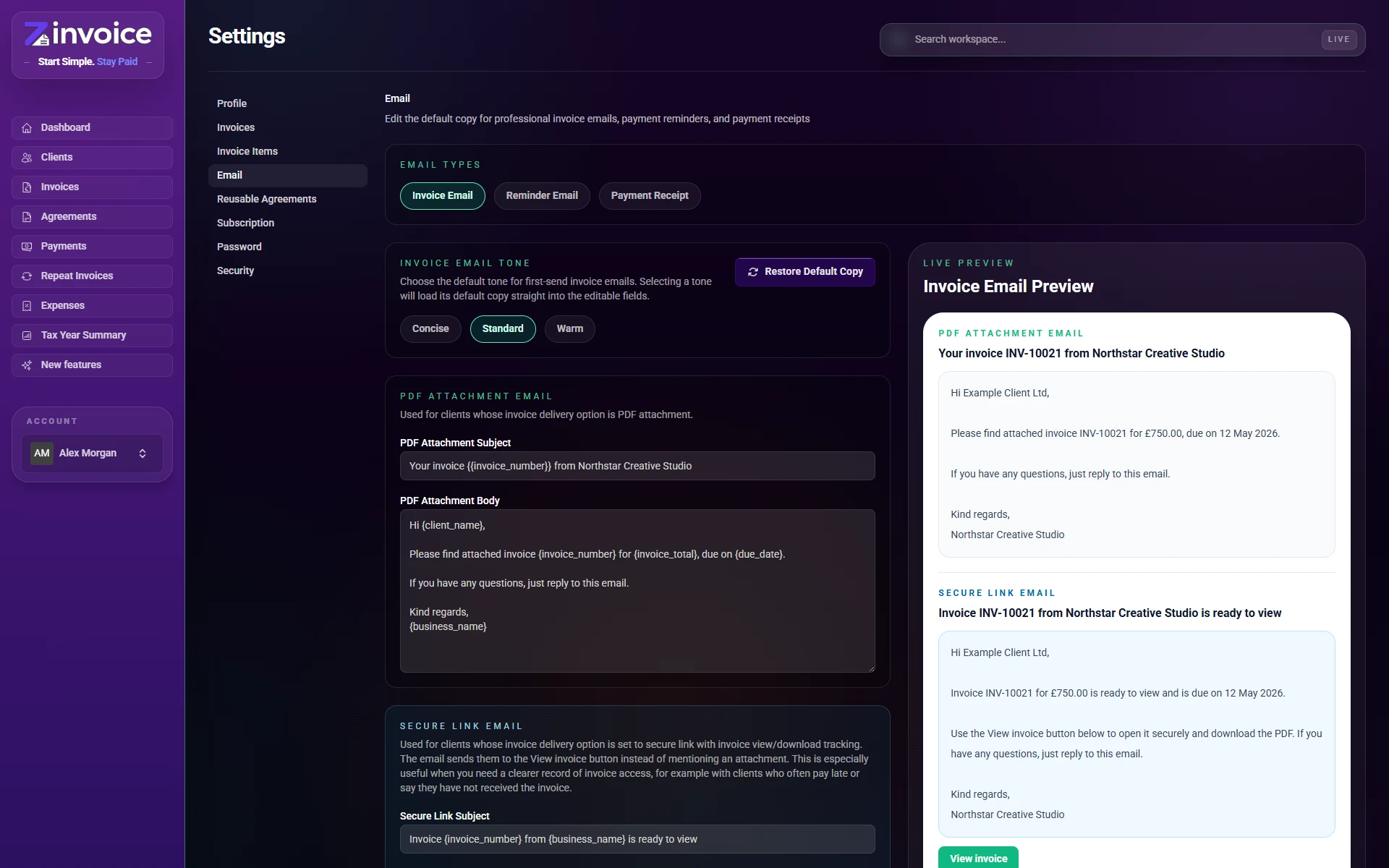
  • Choose from three tone presets for invoice emails.
  • Choose tone presets separately for reminders.
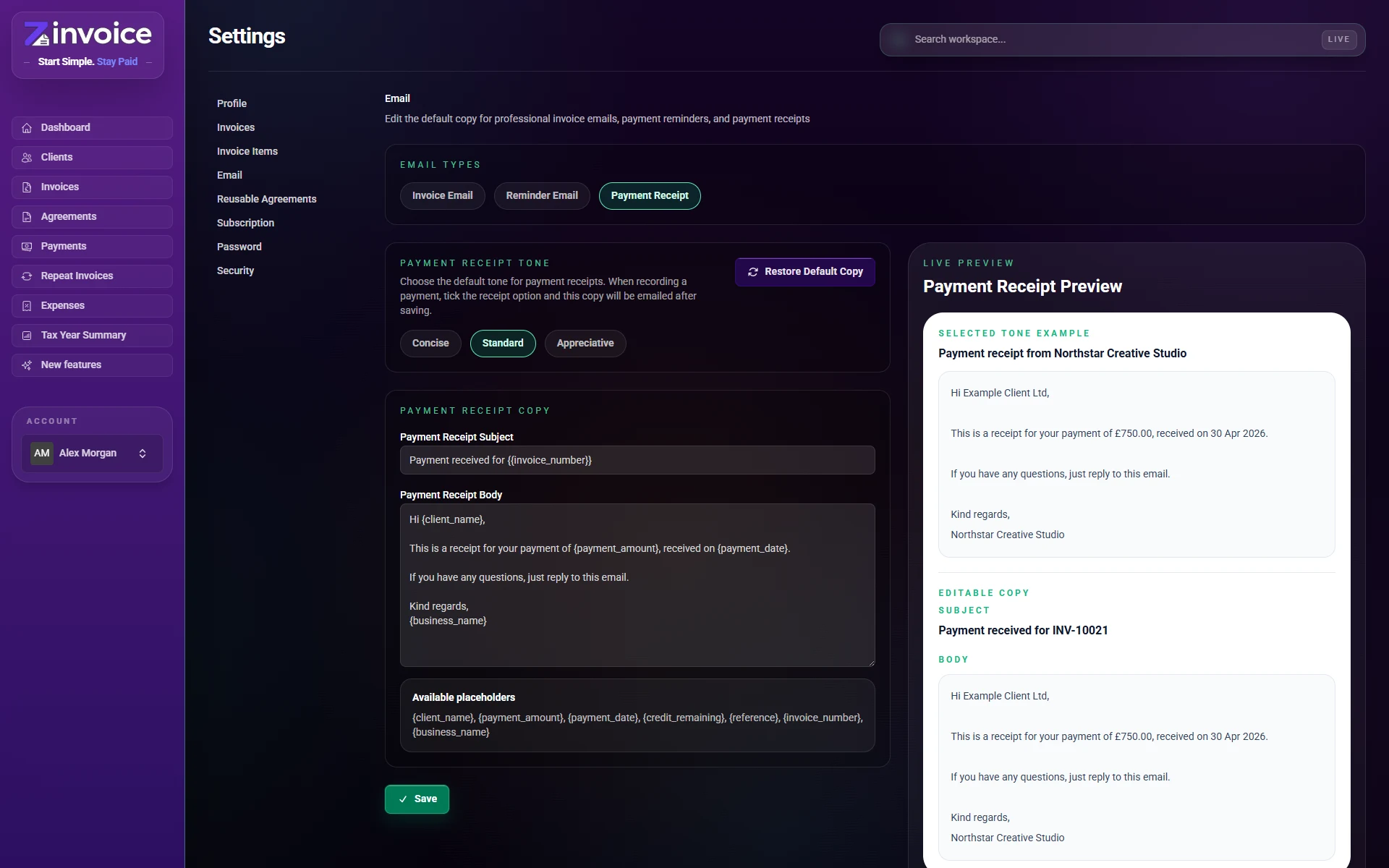
  • Choose tone presets separately for payment receipts.
  • Edit the default invoice-email subject and body.
  • Edit the default reminder subject and body.
  • Edit the default payment-receipt subject and body.
  • Use supported placeholders for client, invoice, payment, date, and business details.
  • Preview selected-tone copy and your edited copy before saving.
  • Track queued and provider-pending delivery states.
  • Track sent and delivered states.
  • Track delayed, bounced, and failed states.
  • Keep invoice email activity on the invoice timeline.
  • Keep receipt and refund-email activity in the payment audit trail.
  • Protect against rapid duplicate delivery requests.

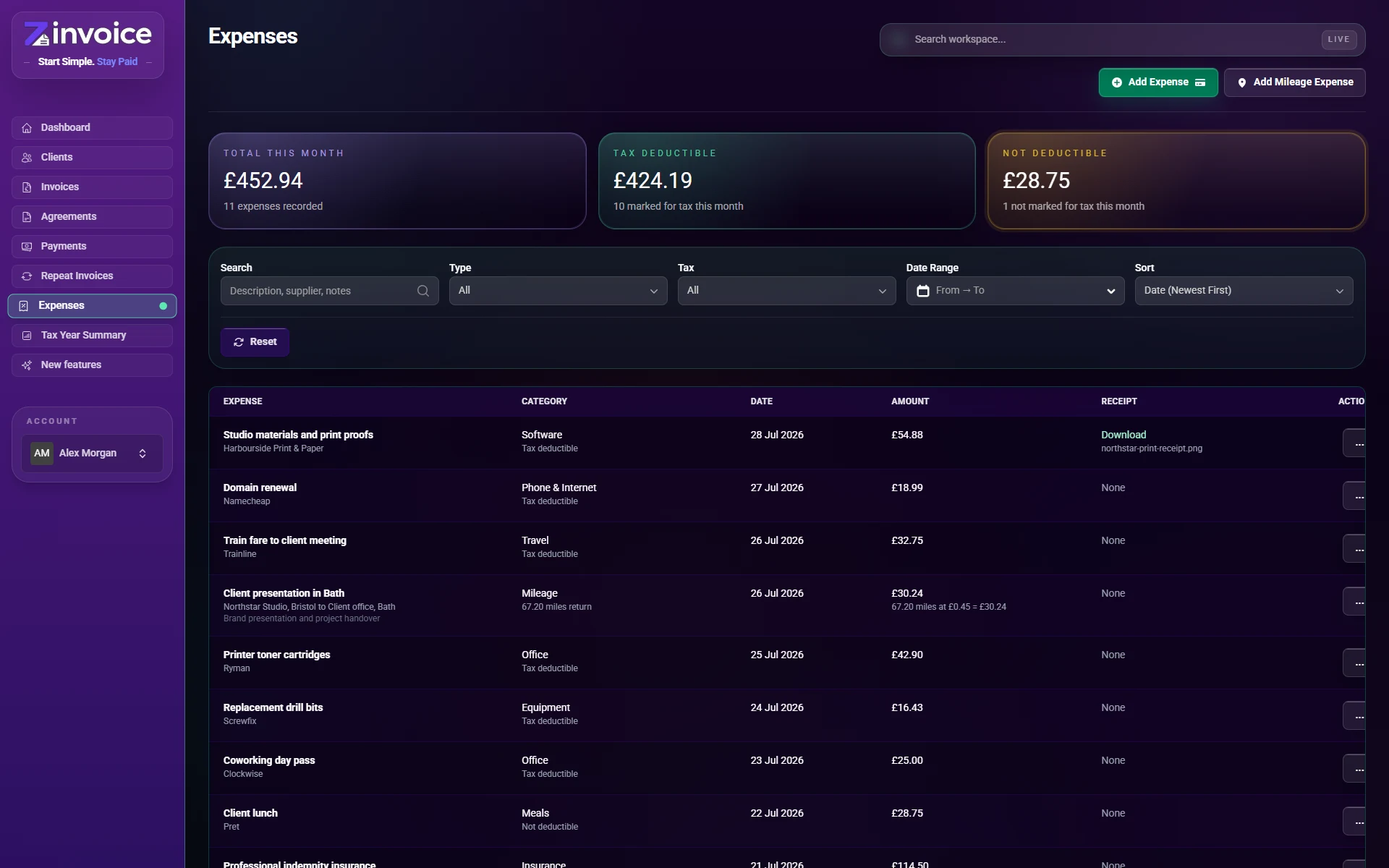
Expenses and mileage

23 functions

Manually record business spending and mileage beside the income records already in Zinvoice.

How It Works

Expenses are not imported from a bank or card. You enter each expense or journey and decide whether it is marked as tax deductible.

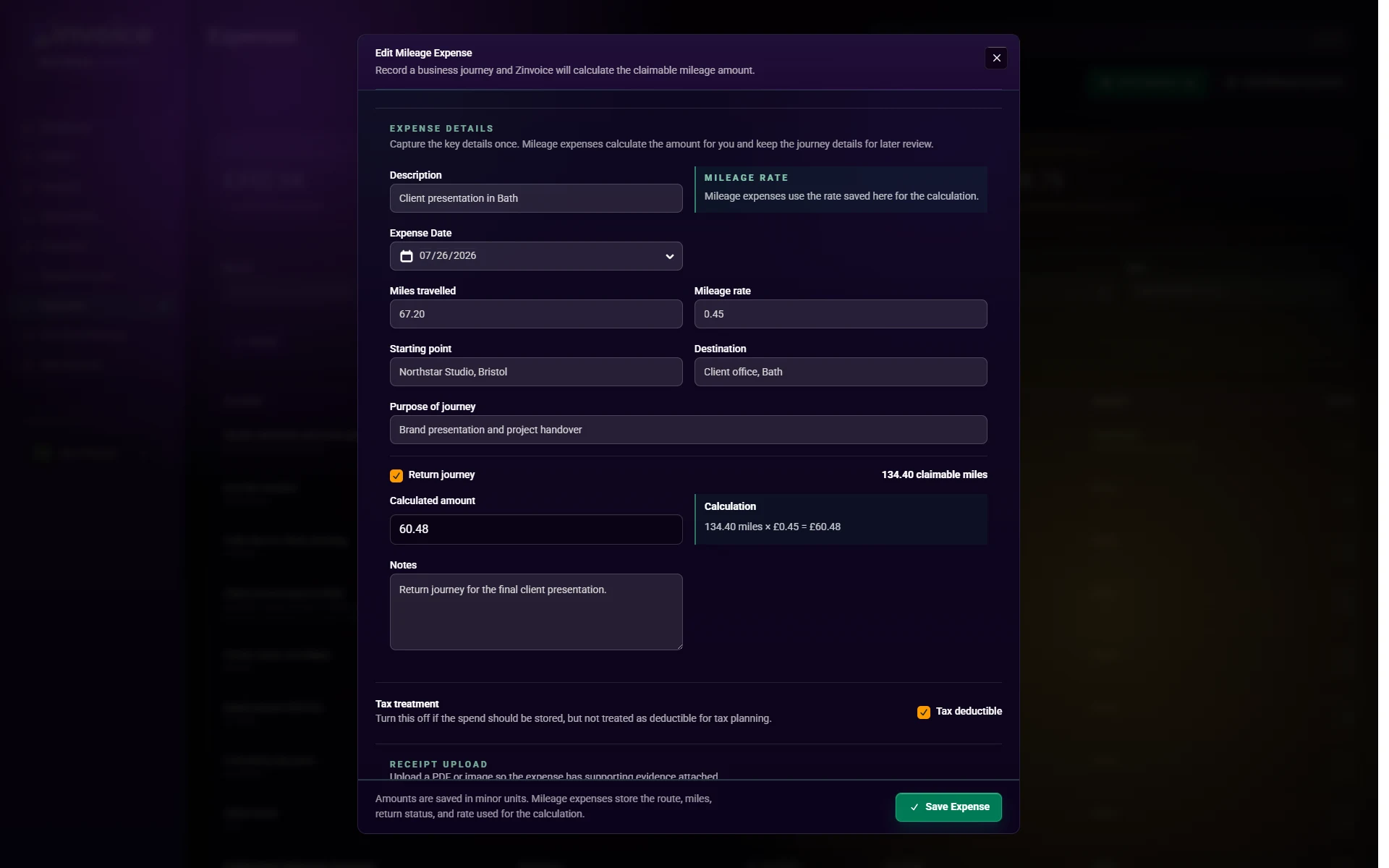
  • Manually add a business expense.
  • Record the expense date and description.
  • Choose from the supplied expense categories.
  • Save an optional supplier and notes.
  • Mark an expense as deductible or non-deductible for your own records.
  • Attach a JPG, PNG, WebP, or PDF receipt.
  • Download a stored receipt privately.
  • Replace or remove a stored receipt.
  • Edit an existing expense.
  • Duplicate an expense into a new record.
  • Delete an expense record.
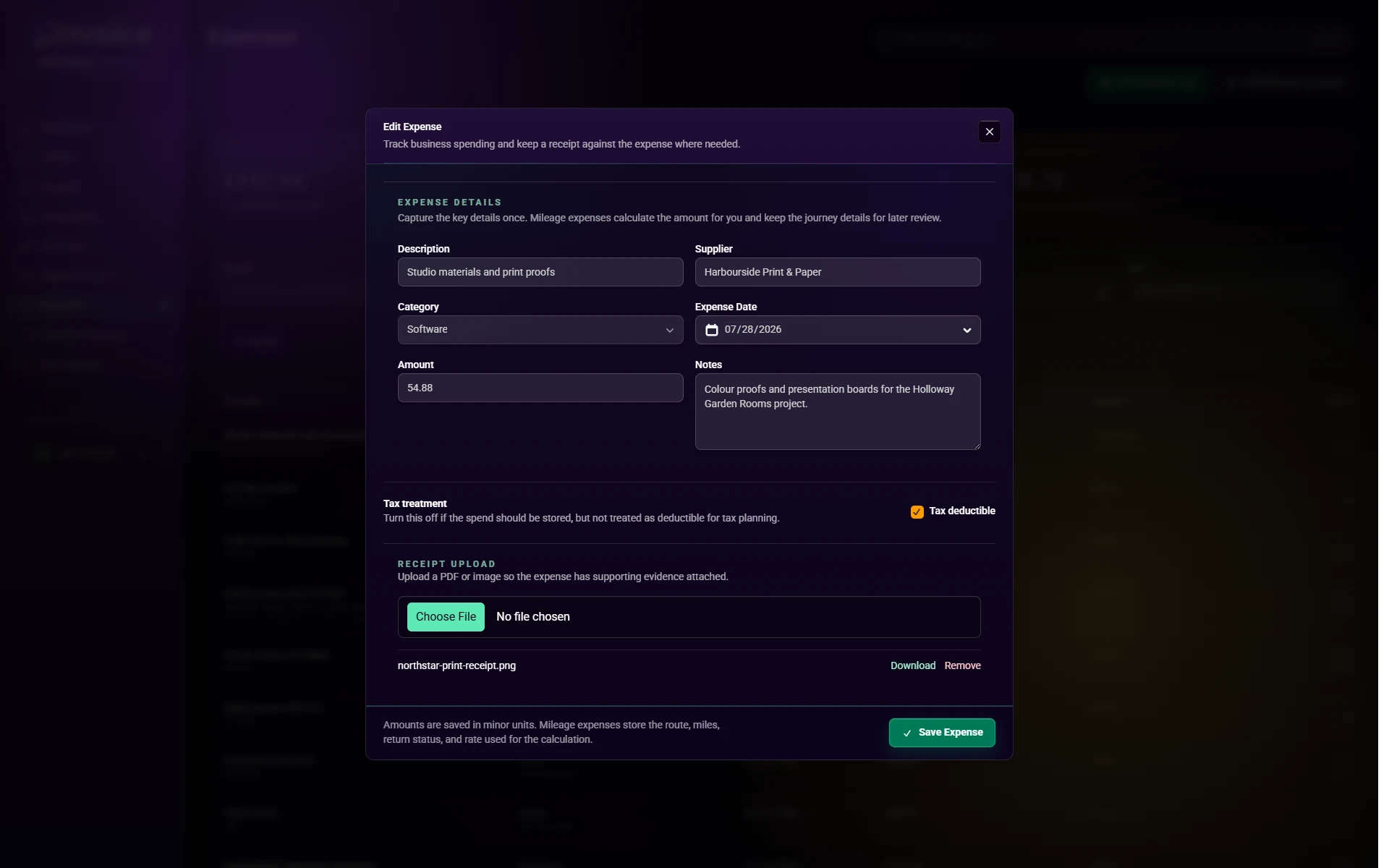
  • Add mileage through its own mileage-expense flow.
  • Record journey start, destination, and business purpose.
  • Enter miles travelled and the mileage rate.
  • Mark a journey as a return journey.
  • Calculate claimable miles and the expense amount.
  • Edit or duplicate a mileage record.
  • Search expenses by description, supplier, category, notes, or journey details.
  • Filter by category, date range, and deductible status.
  • Sort by date, amount, supplier, or creation date.
  • See total expenses recorded this month.
  • See deductible and non-deductible monthly totals separately.
  • Open an expense detail page with its saved context.

Dashboard, lists, and search

19 functions

Move from a quick overview into the exact records that need sending, chasing, allocating, or correcting.

How It Works

The dashboard reflects the records in Zinvoice. It does not import a live bank balance or external accounting data.

  • See outstanding invoice count and value.
  • See overdue invoice count and value.
  • See payments received this month and tax year.
  • See expenses recorded this month and tax year.
  • See active and total client counts.
  • See active repeat invoice schedules.
  • See draft invoice count and value.
  • Review overdue and due-soon invoice watchlists.
  • Review recent recorded payments.
  • Open filtered invoice, payment, expense, and client lists from summary cards.
  • Search across clients, invoices, payments, repeat invoices, expenses, and addresses.
  • Search app pages and settings from the same global search.
  • Jump from a search result to the relevant record.
  • Carry useful search terms into the full filtered list.
  • Use summary cards as active filters on invoice, payment, and expense pages.
  • Reset filters and return to the full list.
  • Use paginated lists for larger record sets.
  • Use date, status, client, category, and type filters where relevant.
  • Sort each main list using its relevant fields.

Branding and invoice defaults

18 functions

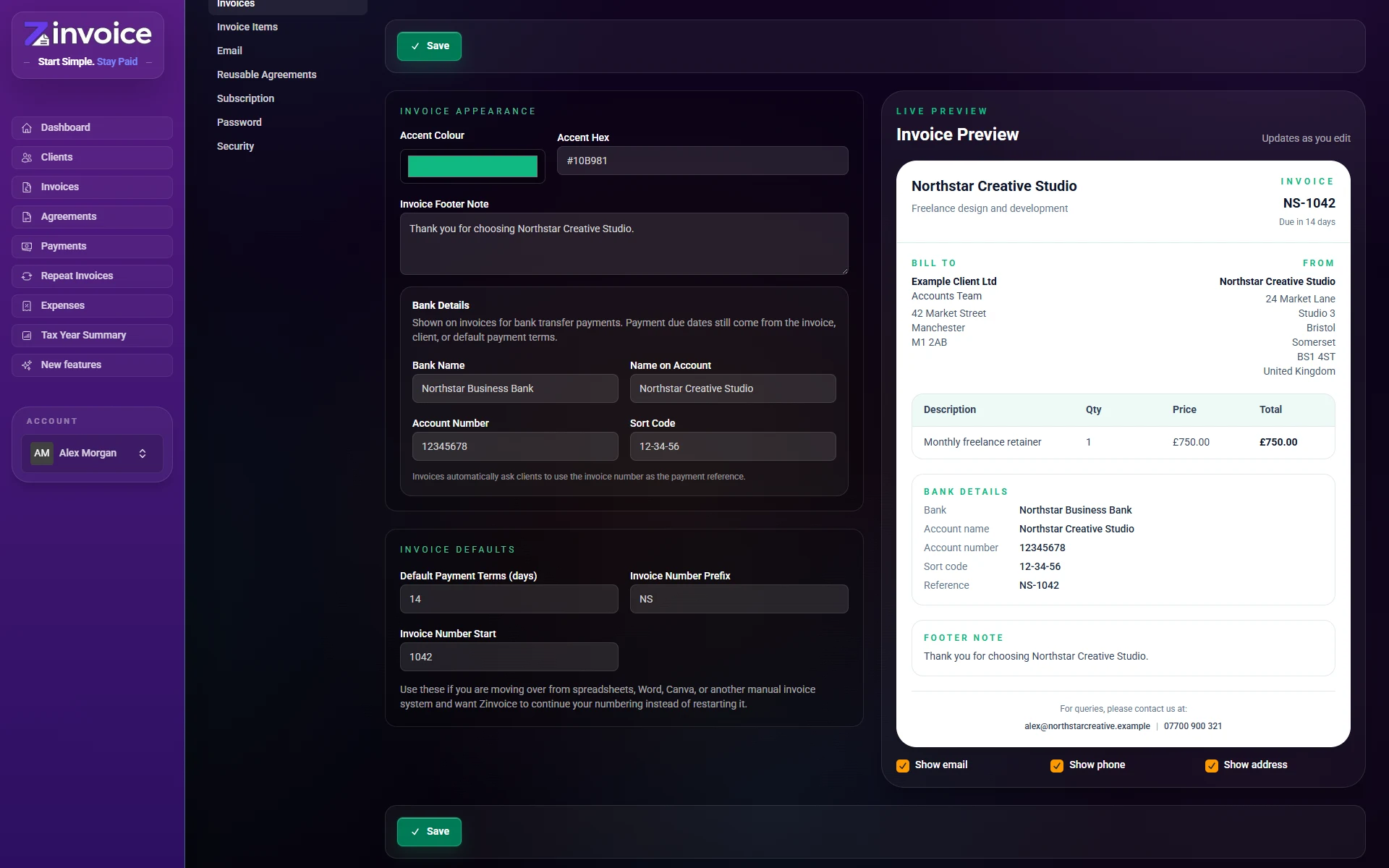
Set the details used repeatedly on invoices and client emails, with a live document preview.

How It Works

You set these defaults once and can still adjust the client, dates, terms, notes, and line items on individual invoices.

  • Upload a business logo for the workspace, invoices, and emails.
  • Remove or replace the business logo.
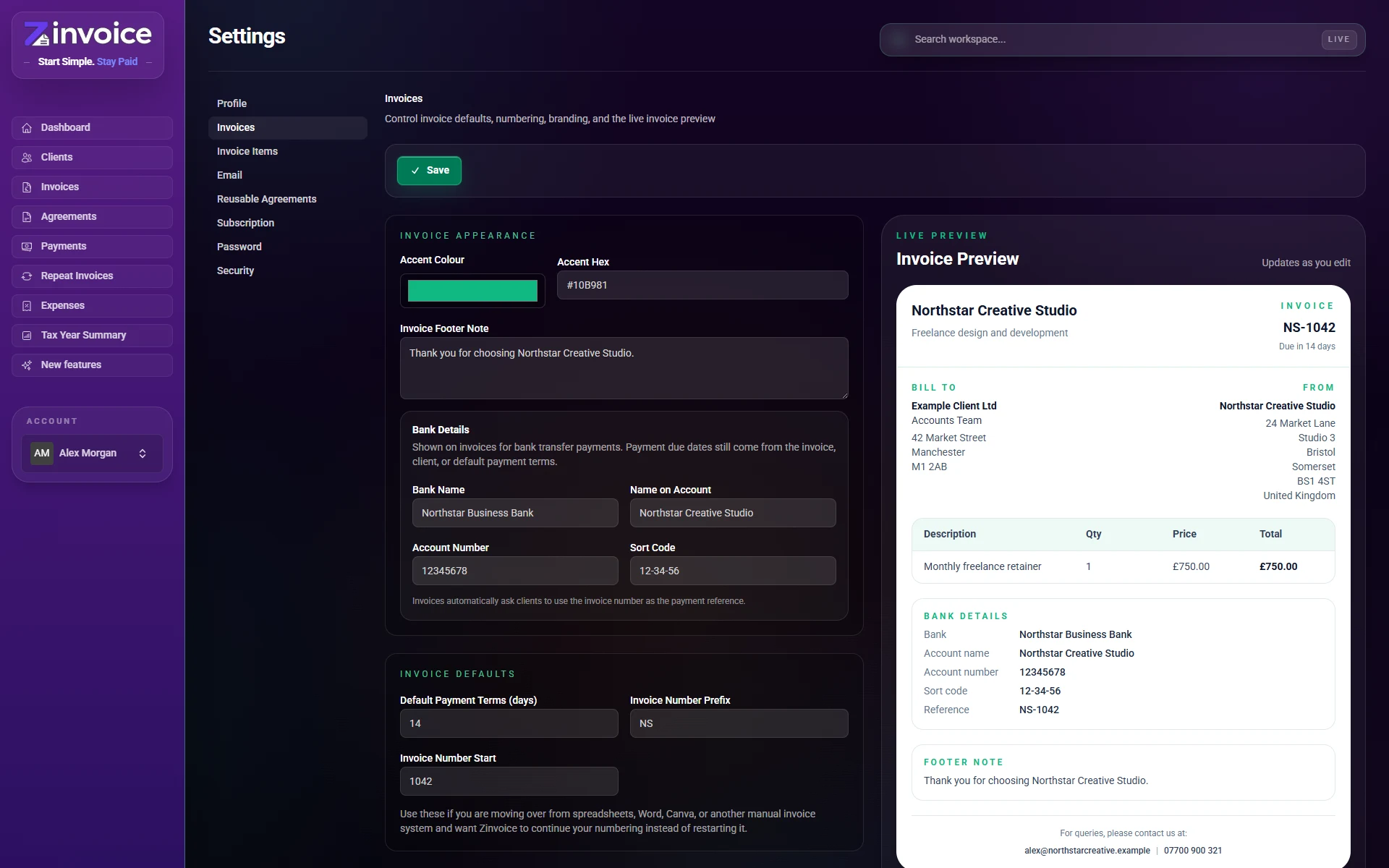
  • Choose an invoice and email accent colour.
  • Add a default invoice footer note.
  • Save bank name, account name, account number, and sort code.
  • Show bank-transfer details on invoices.
  • Ask clients to use the invoice number as their payment reference.
  • Set default payment terms in days.
  • Give individual clients their own payment terms.
  • Override terms on an invoice or repeat schedule.
  • Choose an invoice number prefix.
  • Choose the next invoice number when moving from another system.
  • Continue increasing invoice numbers automatically.
  • Choose whether business email appears on invoices.
  • Choose whether business phone appears on invoices.
  • Choose whether the business address appears on invoices.
  • Preview invoice branding and defaults live while editing.
  • Use business profile details across generated documents and emails.

Tax year and MTD-oriented summaries

18 functions

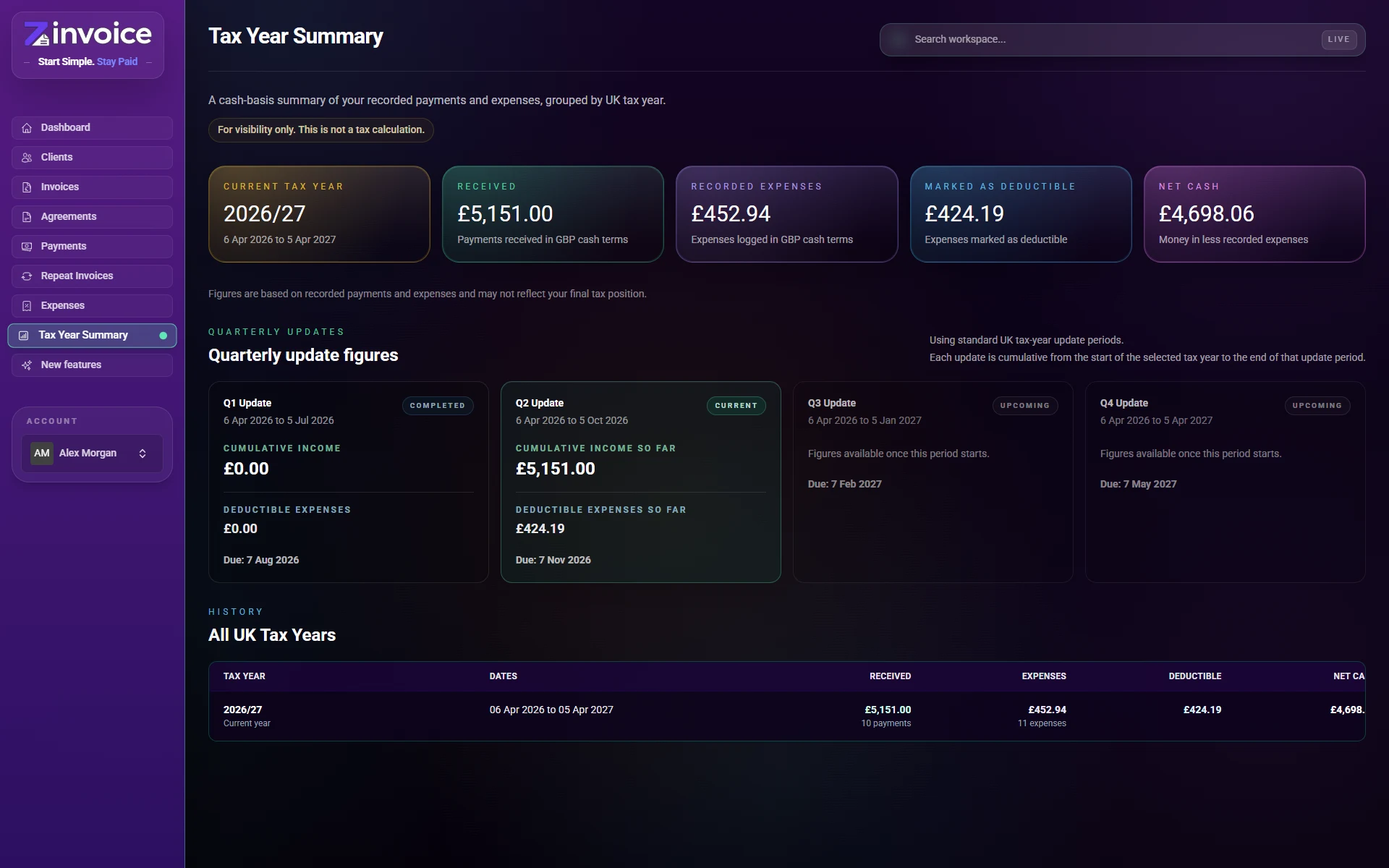
Review cash-basis figures built from the payments, refunds, and expenses that you recorded.

How It Works

The figures depend on your entries and corrections. Zinvoice does not connect to HMRC, submit updates, prepare VAT returns, or lock a period after filing.

  • Group recorded cash activity by UK tax year.
  • See recorded payments received for the selected year.
  • Reduce received totals by recorded refunds.
  • See all recorded expenses for the selected year.
  • See expenses marked as deductible.
  • Calculate net cash from recorded income and expenses.
  • Show counts alongside payment and expense totals.
  • Link summary totals back to the underlying filtered records.
  • Review current and previous tax-year rows.
  • Choose standard or calendar-aligned MTD update periods.
  • Show quarterly update dates and deadlines.
  • Distinguish upcoming, current, and completed periods.
  • Show cumulative income for each update period.
  • Show cumulative deductible and total expenses.
  • Show net cash after deductible expenses.
  • Break deductible expenses down by category.
  • Show activity within each individual update period.
  • Use figures as preparation and checking information before professional advice or filing elsewhere.

Account, security, and data

16 functions

Manage the business profile and account controls without adding those workflows to the public marketing app.

How It Works

Exports are requested when you need one, and security controls are managed from your settings. There is no background accounting-system synchronisation.

  • Update your name, email, phone, and business name.
  • Save the business address used on invoices and documents.
  • Verify a changed email address.
  • Change your password using the current password.
  • Enable authenticator-app two-factor authentication.
  • Confirm two-factor setup with a one-time code.
  • Generate and regenerate two-factor recovery codes.
  • Disable two-factor authentication after password confirmation.
  • Manage the monthly or yearly subscription from billing settings.
  • Open the Stripe billing portal for the existing subscription.
  • Request an account-data export from settings.
  • Download invoices, clients, payments, refunds, expenses, and related account records in the export.
  • Include privately stored account files in the export where applicable.
  • Submit support and feedback from inside the app.
  • Delete the account after current-password confirmation.
  • Keep customer data separate from the public marketing site.

Not Included

Focused invoicing, not hidden accounting software.

10 clear boundaries

The tax-year and MTD-oriented figures are summaries of records you entered. They are not filed returns or accounting advice. Zinvoice does not:

  • Connect to bank feeds or import bank transactions.
  • Take card payments or move money between you and a client.
  • Reconcile Zinvoice records against a bank account.
  • Run double-entry bookkeeping or accounting ledgers.
  • Process payroll, payslips, pensions, or employee deductions.
  • Prepare or submit VAT returns.
  • Prepare statutory accounts or company tax returns.
  • Manage stock, inventory, purchase orders, or fulfilment.
  • Submit MTD updates or tax returns directly to HMRC.
  • Replace an accountant, bookkeeper, or professional tax advice.

Ready When You Are

Simple invoicing without spreadsheets doing the heavy lifting.

Start with a 7-day trial and see whether Zinvoice fits the admin you actually do.

Cookie Notice

Zinvoice uses essential cookies and similar storage to keep the website secure, maintain sessions, and remember basic site preferences. Optional analytics only loads if you explicitly allow it. Read the full Cookie Policy.